

13 comments
Comment from: Sandro Visitor

Comment from: Visitor

I wrote this plugin back when translations for plugins had not been sorted out yet. I’ll revisit it sometime and add support for different translations and language-neutral icons. Thanks for the ideas!
Comment from: Esther Visitor

Great! Have installed it and like Sandro I’ve translated some things to my own language. Easy to do by the way.
Thanks for this plugin.
Regards from The Netherlands!
Comment from: Candida Teodoro Visitor

Hi there, please help . . .
I would like to have flash movie files playing in my blogs and so I have installed the plugin and configured the file type correctly. I uploaded a .swf file for tests and it generated the code.
With this code, at the blog, I can see an image place with an red ‘x’, and no .swf play.
Then I read the DOC file in the plugin folder and changed the code accordingly. All I can get is the code projected in the place of the flash movie file.
My questions is, where do I get the ‘id’ and the ‘version’ mentioned on the DOC file?
How do I get .swf files to play in my ‘b2evolution’ blogs?
What I am doing wrong then, or what should I do so that I can play .swf files? Can you please help with this?
Please note that I have always the latest version of ‘b2evolution’. I tried to paste the codes in this post but was unable to post this message and opted in removing the code scripts.
Many thanks in advance
Best regards
candida.teodoro@gmail.com
Comment from: Rivi Visitor

Hi,
there have been reports that the plugin stopped working. That is because there is a user-id and a key hardcoded in the plugin, and the key has become invalid. As a hack around, you’ll have to register at http://www.weather.com/services/xmloap.html and replace user-id and key in the file plugins/weather_plugin/_weather.plugin.php
with the ones they send you. Unfortunately, it seems a complete unistall and install of the plugin is required to make it work again.
Comment from: Skynet Visitor

Tried the workaround, but plugin still fails. Nothing changed using my own partner ID and license key.
I also uninstalled it from b2evolution and reinstalled, configured but the error is still there :(
Comment from: solver Visitor

I fixed my 1.8 plugin version by doing this:
in plugins/weather_plugin/_weather.plugin.php in function weatherXMLparse() change the URL
like this:
$this->xml_url="http://xoap.weather.com/weather/local/".$params[’ID’].
“cc=*&dayf=5&link=xoap&prod=xoap&par=[YOUR PARTNER ID]&key=[YOUR KEY]".&unit=".$params[’units’];
Comment from: Brett A. Scudder Visitor

Hi all,
Do we have a valid working fix for this b2evo v.2.4.6?
I really would like to continue using this on my blogs site.
Solver,
Would you mind sharing how to apply that fix and where. I looked in the plugin.php file and did find where to put it.
Please advise.
Thank you,
~Brett A. Scudder~
Comment from: kmacy Visitor

I was having multiple issues with my site, including this weather plugin. It would not verify any locations by city or zip code.
In my situation, the problem was that my php.ini line for “allow_url_fopen =” was set to Off. Once I changed this to On, my weather plugin works perfectly (along with my issues with gallery).
Comment from: Danny Visitor

I also can’t find the working fix for version 2.4.6 and above. I would love to get this plugin going on my site - as i my visitors are intrested in the weather for a number of locations.
Comment from: Joe Visitor

The Weather Channel API doesn’t seem to be free anymore. So, without paying for a subscription, and updating the connection parameters accordingly, this plugin is basically done for.
Comment from: mythusmage Member

No, the download file is not available. Not as far as I can see.
Comment from: fplanque Member

Download button fixed.
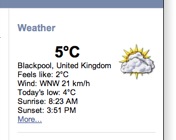
I like this plugin, but unfortunately it has no support for other languages than english. I replaced the icons with those i found at yahoo and translated the few expressions to my language. Now it works fine for me.
The icons from yahoo are free of words like icy, fog, dust. This is the url from where i got them: http://de.weather.yahoo.com/GMXX/GMXX0088/index_c.html